
Build weekly rosters in minutes, not days
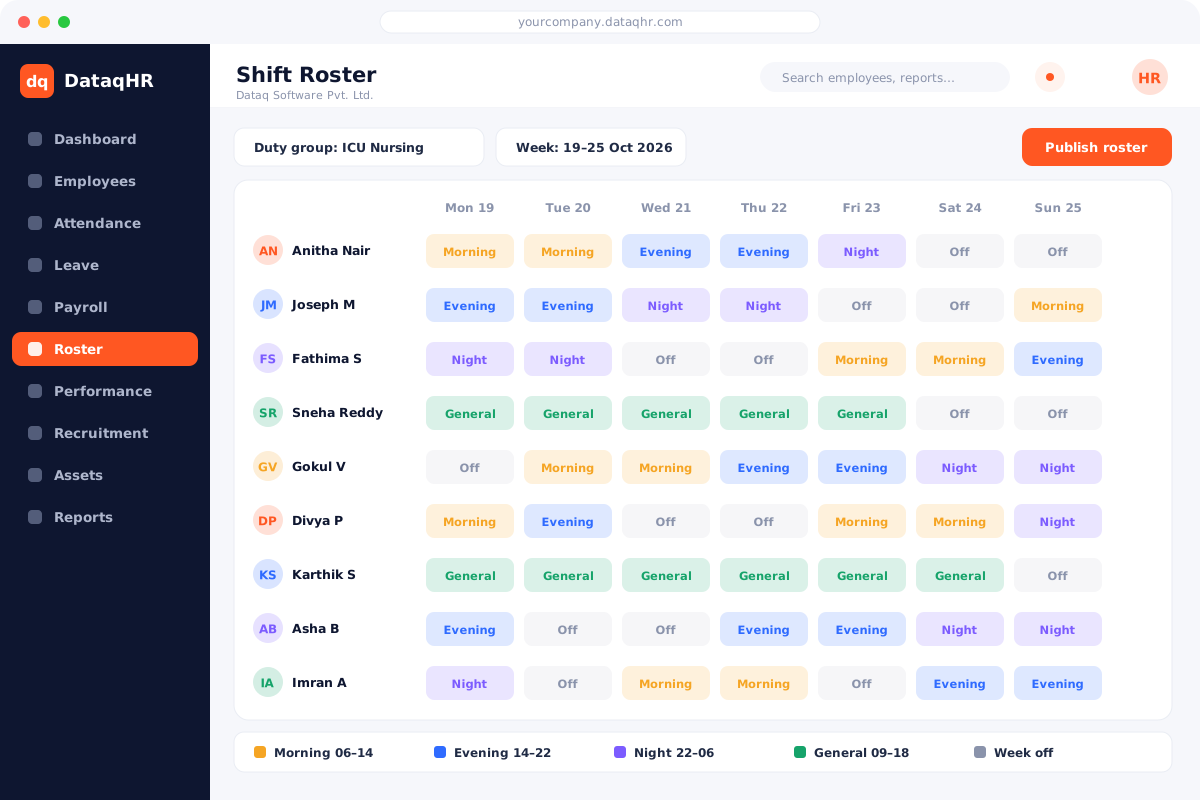
Create shifts and duty groups, drag employees into a weekly roster, and publish it to everyone’s phone. Attendance, overtime and comp-off are then calculated against the roster automatically.
- Night & overnight duties
- Duty groups
- Roster-aware OT
Why teams move their shift & roster to DataqHR
What changes on day one — and what you can stop doing.
😩 Without DataqHR
- ✕Rosters made in Excel and shared as photos
- ✕Night shifts break attendance calculations
- ✕OT and comp-off disputes every month
- ✕No view of coverage per ward or line
🚀 With DataqHR
- ✓Weekly roster planner published to every phone
- ✓Overnight duties evaluated as one shift
- ✓Policy-based OT and comp-off ledgers
- ✓Duty-group view of who is on which shift
Scheduling built for hospitals, plants and stores
Configurable shifts
Morning, evening, night, general or split shifts with their own timings, grace and break rules.
Duty groups
Group employees by ward, line, store or team and plan their rosters together.
Weekly roster planner
Assign shifts for the week at a glance, copy previous weeks and publish when ready.
Overnight & off-grid duties
Duties that cross midnight or don’t start on the hour are handled correctly in attendance.
Overtime & comp-off policies
OT and comp-off rules by department or shift with buffers, caps and payouts.
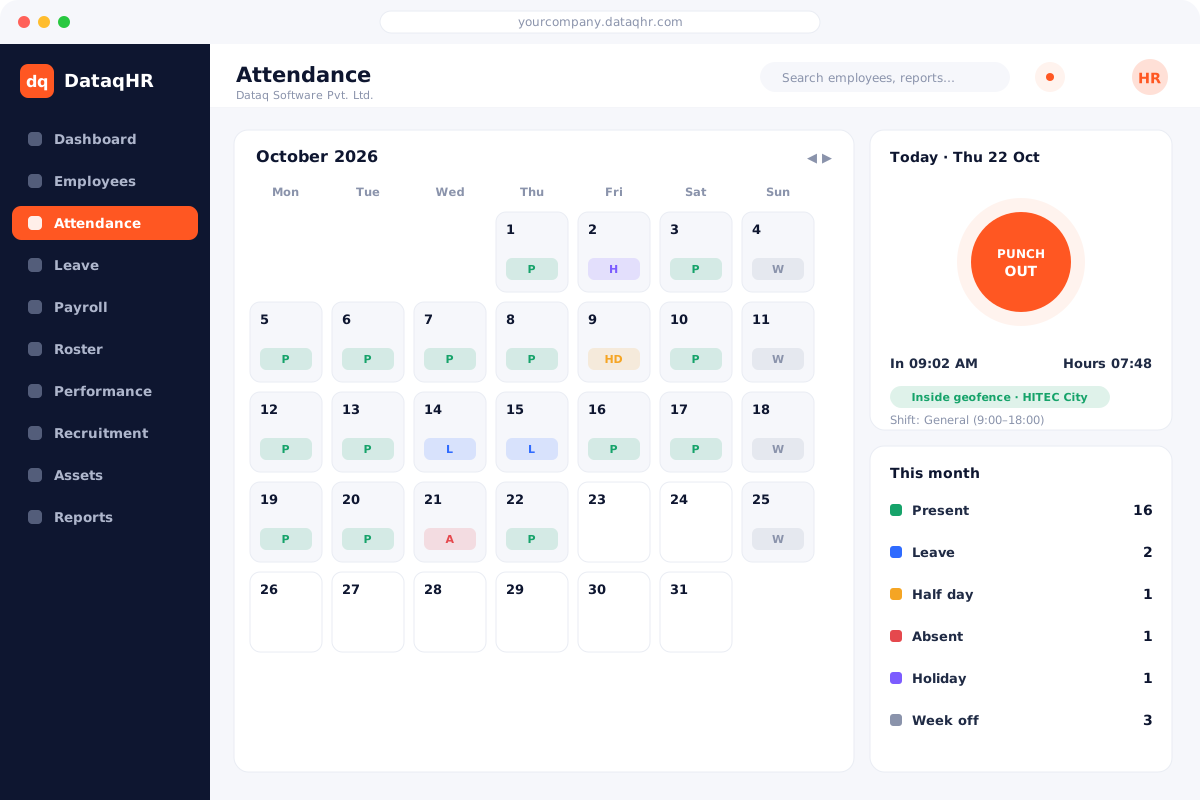
Absent & missing-punch handling
Mark rostered absences and see missing-punch status against each duty.
One roster drives attendance, overtime and pay
Once published, the roster becomes the source of truth. DataqHR compares actual punches against rostered duties, so late marks, OT and comp-off are correct for every shift pattern.
- Attendance evaluated per rostered shift
- Weekly-off classification for comp-off
- Overtime reports by department
- Payouts flow into payroll
Everyone knows their next duty
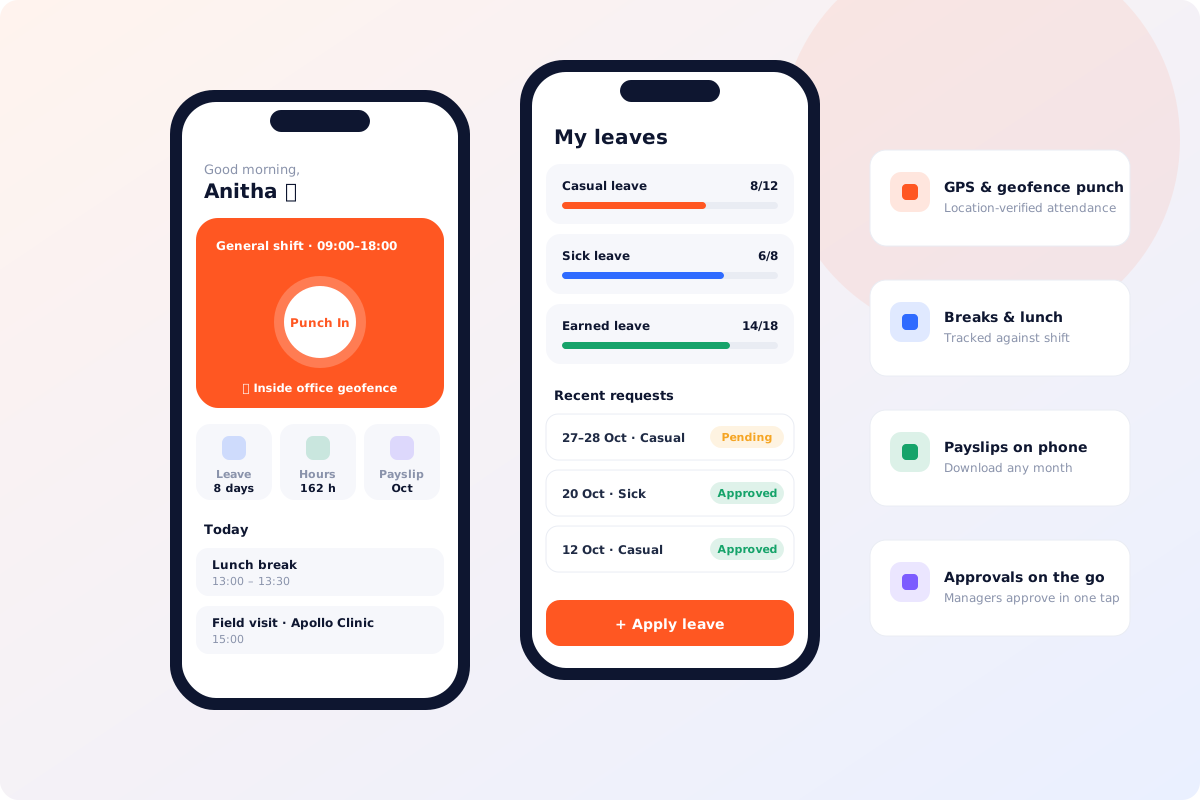
Employees see their upcoming shifts in the DataqHR app and punch in against the right duty — with breaks and lunch tracked automatically.
- Upcoming duty view on mobile
- Geofenced punch for each site
- Break & lunch tracking
- Manager visibility of coverage
How Shift & Roster helps everyone in your company
For HR & Admin
Less admin, more accuracy- Plan a week of shifts in minutes
- Accurate OT for payroll
- Department-wise benefit policies
For Managers
Faster decisions & approvals- See coverage at a glance
- Handle swaps and absences
- Fewer complaints about fairness
For Employees
Self-service on any device- Know your next duty on the app
- Transparent OT & comp-off
- Punch against the right shift
Why 5,000+ employees run on DataqHR
Eight reasons growing businesses in India and worldwide choose DataqHR over spreadsheets and legacy HR tools.
Compliance built in
SOC 2, ISO 27001 & GDPR security plus Indian payroll compliance — PF, ESI, PT, TDS, gratuity.
Mobile-first for every employee
Native Android & iOS apps with geofenced punch, breaks, leave, payslips and approvals.
Shift & roster ready
Night duties, rotating shifts, duty groups, OT and comp-off — made for 24x7 teams.
Everything connected
Attendance → leave → payroll in one database. No exports, no re-typing.
Configurable, no code
Department rules, benefit policies, roles, table columns and branding — your way.
Hands-on onboarding
We import your data, set up policies and train HR and managers.
Affordable pricing
From ₹30 per employee per month. Transparent pricing, cancel anytime.
Secure by design
Role-based access, isolated company workspace, audit trail and encrypted traffic.
Shift & Roster — frequently asked questions
Who is roster management for?
Any team that works in shifts — hospitals and clinics, manufacturing plants, retail stores, logistics hubs, security and facility services, and 24x7 support teams.
Can DataqHR handle night shifts that cross midnight?
Yes. Overnight duties are evaluated as a single shift, so hours, late marks and overtime are calculated correctly.
Can I set different overtime rules for different departments?
Yes. Benefit and overtime policies can be defined per department or shift, including buffers, caps and comp-off expiry.
Do employees see their roster on mobile?
Yes. Published rosters are visible to employees in the DataqHR app and web portal.
See DataqHR Shift & Roster in action
Book a 30-minute walkthrough tailored to your policies. We help you set up and migrate your data.