
Know who has what — always
Maintain a single register of company assets, assign them to employees, and make sure everything comes back at exit. No more lost laptops or forgotten access cards.
- Asset register
- Employee assignment
- Exit clearance
Why teams move their asset management to DataqHR
What changes on day one — and what you can stop doing.
😩 Without DataqHR
- ✕Asset list in an old spreadsheet
- ✕Nobody knows who has which laptop
- ✕Assets lost when people leave
- ✕No repair or return history
🚀 With DataqHR
- ✓Live asset register with status
- ✓Every asset linked to an employee
- ✓Recovery built into exit clearance
- ✓Full history of issue, return & repair
From purchase to recovery
Asset register
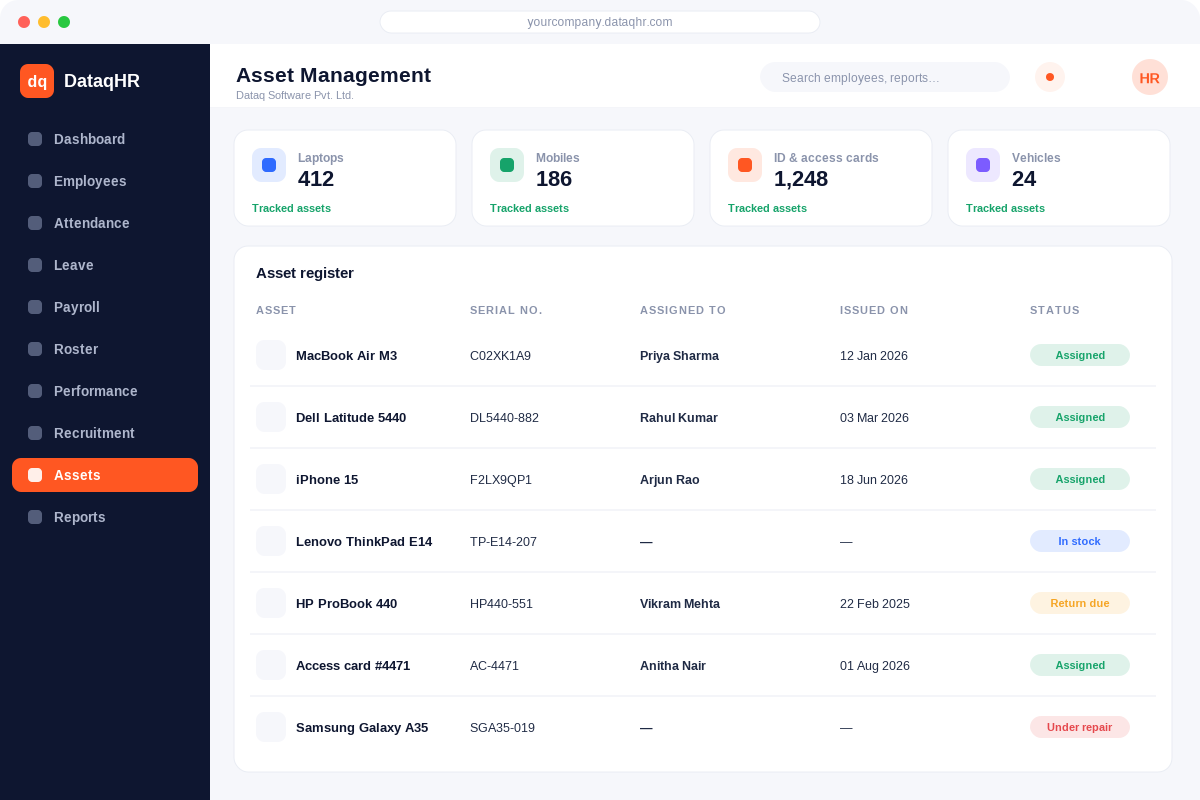
Laptops, phones, vehicles, ID and access cards, furniture — with serial numbers and categories.
Assign to employees
Issue assets with dates and condition notes; employees see their assets in self-service.
Returns & transfers
Record returns, reassignments and repairs with a full history.
Exit clearance
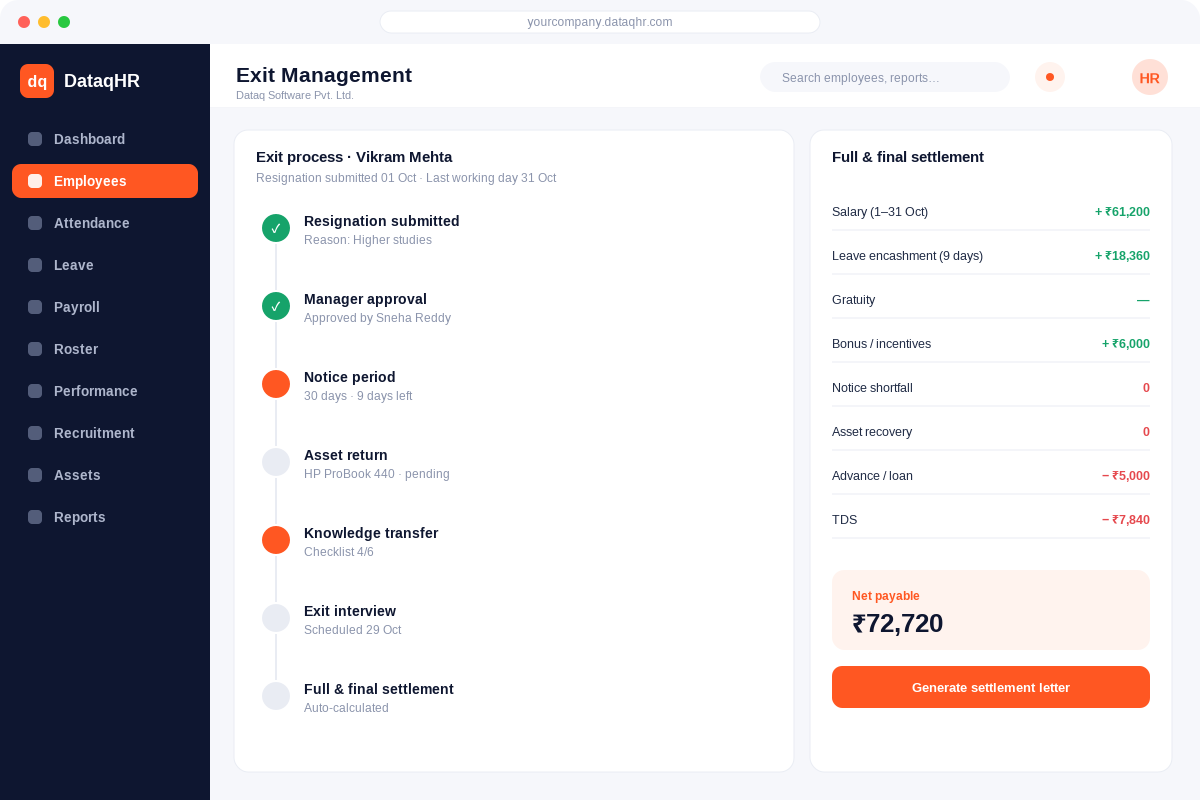
Pending assets show up in the exit checklist and can be adjusted in final settlement.
Asset reports
Know what’s in stock, assigned, under repair or due for return.
Bulk import
Load your existing asset list from Excel.
A live inventory of every asset
Filter by type, status or employee to know exactly where your assets are.
- Status: assigned, in stock, repair, return due
- Issue and return dates
- Employee-wise asset list
- Company-level asset categories
Nothing leaves without clearance
When an employee resigns, their assets are added to the exit checklist automatically — HR and IT know exactly what to collect.
- Asset recovery in exit checklist
- Recovery deductions in F&F
- Clearance status for HR
- Audit trail
How Asset Management helps everyone in your company
For HR & Admin
Less admin, more accuracy- Complete inventory visibility
- Recovery tracked in F&F
- Bulk import existing assets
For Managers
Faster decisions & approvals- Know your team’s equipment
- Request assets for new joiners
- Smooth handovers
For Employees
Self-service on any device- See assets assigned to you
- Clear return checklist at exit
- No surprise deductions
Why 5,000+ employees run on DataqHR
Eight reasons growing businesses in India and worldwide choose DataqHR over spreadsheets and legacy HR tools.
Compliance built in
SOC 2, ISO 27001 & GDPR security plus Indian payroll compliance — PF, ESI, PT, TDS, gratuity.
Mobile-first for every employee
Native Android & iOS apps with geofenced punch, breaks, leave, payslips and approvals.
Shift & roster ready
Night duties, rotating shifts, duty groups, OT and comp-off — made for 24x7 teams.
Everything connected
Attendance → leave → payroll in one database. No exports, no re-typing.
Configurable, no code
Department rules, benefit policies, roles, table columns and branding — your way.
Hands-on onboarding
We import your data, set up policies and train HR and managers.
Affordable pricing
From ₹30 per employee per month. Transparent pricing, cancel anytime.
Secure by design
Role-based access, isolated company workspace, audit trail and encrypted traffic.
Asset Management — frequently asked questions
What kinds of assets can I track?
Any company-owned item — laptops, desktops, mobiles, SIM cards, ID and access cards, vehicles, tools and furniture.
Can employees see the assets assigned to them?
Yes. Employees see their assigned assets in the self-service portal and mobile app.
Is asset return part of the exit process?
Yes. Pending assets appear in the exit checklist and can be accounted for in full and final settlement.
See DataqHR Asset Management in action
Book a 30-minute walkthrough tailored to your policies. We help you set up and migrate your data.