
Your HR, in your pocket
The DataqHR app for Android and iOS lets every employee punch attendance, take breaks, apply leave, view holidays, download payslips and approve requests — wherever they work.
- Android & iOS
- Geofenced punch
- Payslips & leave
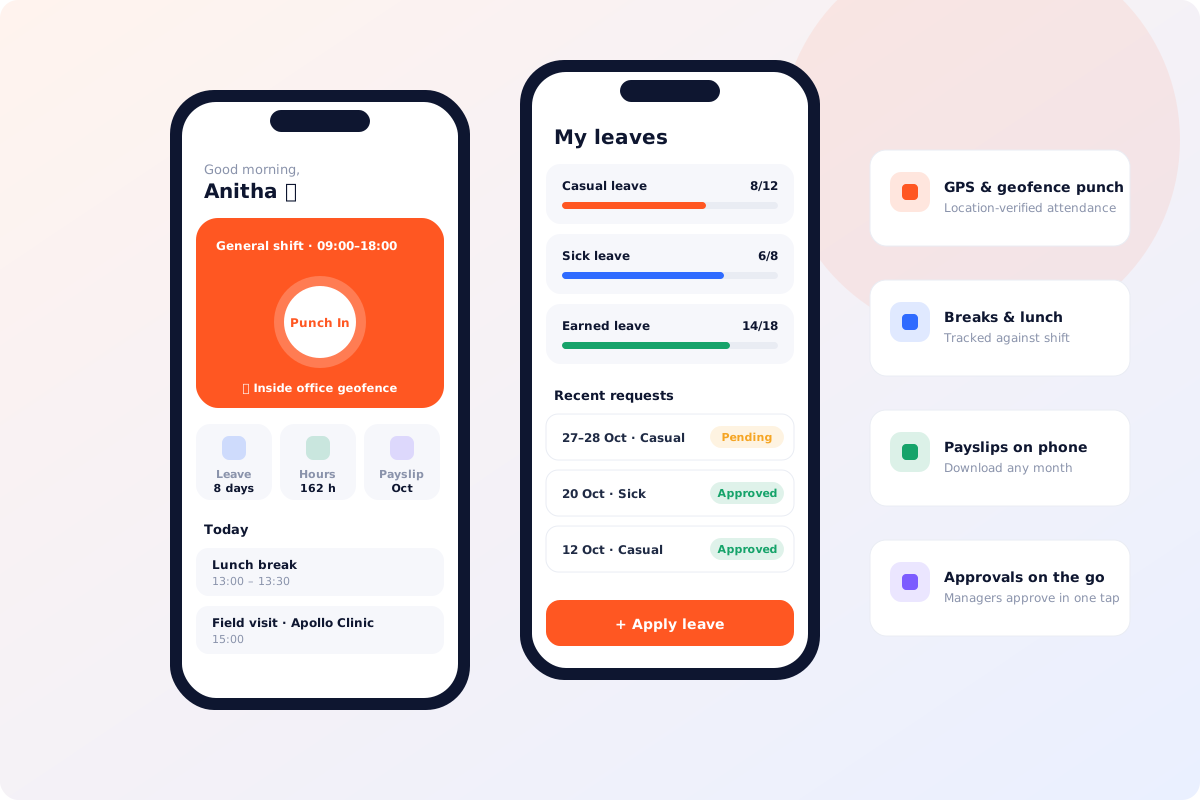
Everything employees and managers need
GPS & geofence punch
Punch in and out with location verified against your office geofence.
Breaks & lunch
Start and end breaks; time is synced with your shift.
Leave & holidays
Check balances, apply leave and see the holiday calendar.
Payslips & tax
View payslips, salary breakup and investment declarations.
Field visits & tracking
Log visits; live tracking during duty for field teams.
Manager approvals
Approve leave and attendance for your team in one tap.
Team views
Team attendance, leave and employee directory for managers.
Birthdays & events
Company events, birthdays and announcements.
Secure login
Company workspace login with OTP-based password reset.
Get the DataqHR app
Available on Google Play for Android and on the App Store for iPhone and iPad.
Mobile app FAQs
Is the DataqHR app free for employees?
Yes. The app is included with your DataqHR subscription for all employees.
How do employees log in?
Employees enter your company workspace (for example yourcompany.dataqhr.com) and sign in with their DataqHR credentials.
Does the app track location all the time?
No. Location is used for geofenced punches and, where your employer enables it, live tracking during duty hours only.
How do I delete my account?
Employees can request account deletion from the app or on our account deletion page.
Ready to simplify HR for your team?
See DataqHR on your own data in a free, no-obligation demo. Setup support included.